

“Sometimes, the simplest moments hold the deepest wisdom. Let your thoughts settle, and clarity will find you“
At BizFin Connections, we believe accounting is more than just numbers and isn’t just about compliance—it’s the foundation of strategic growth, about clarity and confidence. Choosing the right accounting solution isn’t just about software; it’s about aligning your financial tools with your business vision. This guide is designed to help you choose the right accounting solution for your business, whether you’re just starting out or scaling up.
In today’s fast-paced business environment, choosing the right accounting solution is more than just a financial decision—it’s a strategic one. Whether you’re a small business owner, a freelancer, or managing a growing enterprise, the right accounting software can streamline operations, ensure compliance, and provide valuable insights to drive growth. But with so many options available, how do you choose the one that truly fits your needs?
Here’s a step-by-step guide to help you make an informed decision.
1. Understand Your Business Requirements
Before diving into software comparisons, take a step back and assess your business:
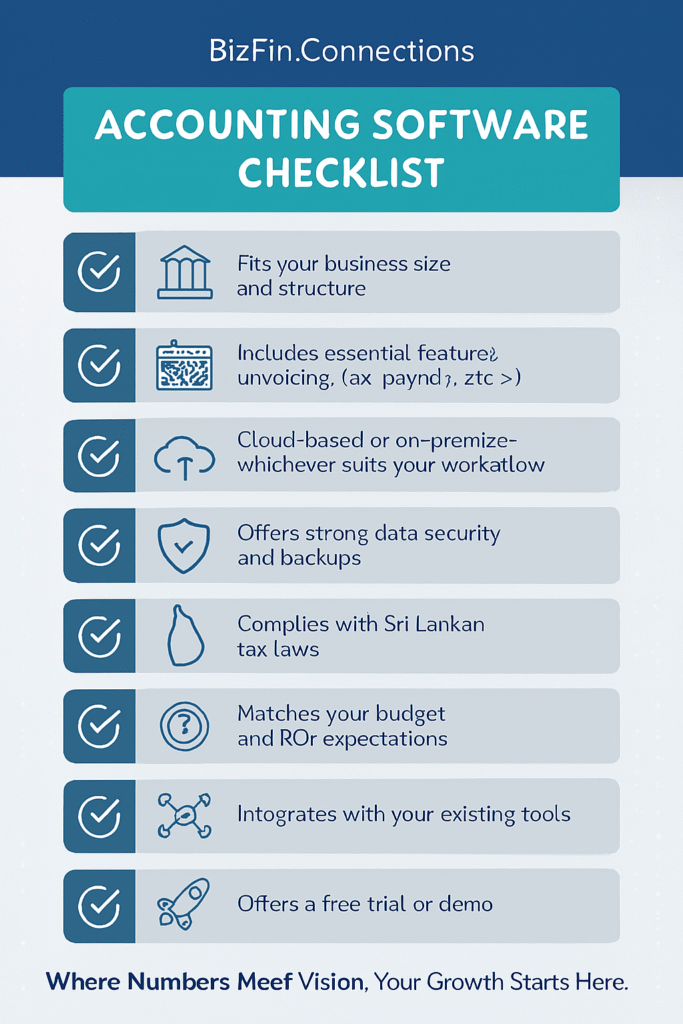
- Size and Structure: Are you a sole proprietor, a small team, or a multi-department company?
- Industry-Specific Needs: Do you need inventory tracking, project-based accounting, or payroll integration?
- Growth Plans: Will your accounting needs scale as your business grows?
Understanding these factors will help you filter out solutions that don’t align with your operational model.
2. Identify Core Features You Need
Not all accounting platforms are created equal. Prioritize features based on your business model:
| Feature | Why It Matters |
|---|---|
| Invoicing & Billing | Automates client billing and improves cash flow |
| Expense Tracking | Helps monitor spending and manage budgets |
| Bank Reconciliation | Ensures accuracy between books and bank statements |
| Payroll Processing | Simplifies employee payments and tax filings |
| Tax Management | Automates tax calculations and reporting |
| Multi-Currency Support | Essential for international transactions |
| Reporting & Analytics | Provides insights for better decision-making |
3. Consider Cloud vs. On-Premise Solutions
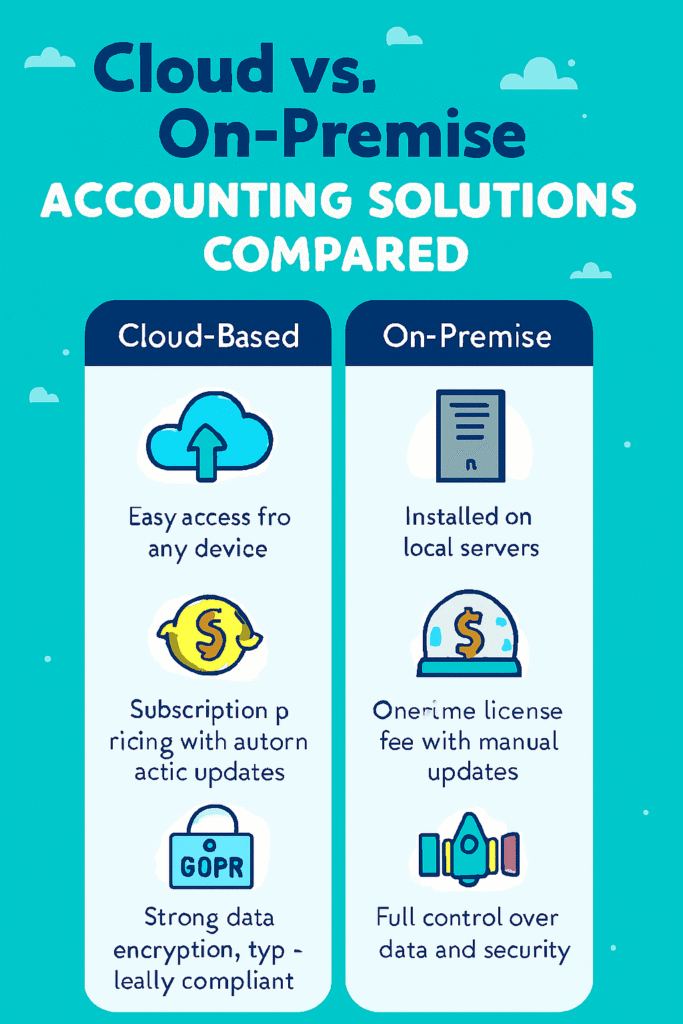
- Cloud-Based: Accessible from anywhere, often subscription-based, with automatic updates and backups.
- On-Premise: Installed locally, offering more control and customization, but requires IT support and manual updates.
For most modern businesses, cloud solutions offer flexibility and scalability, especially for remote teams.
4. Evaluate Security and Compliance
Financial data is sensitive. Ensure the solution offers:
- Data Encryption
- Two-Factor Authentication
- Regular Backups
- Compliance with Local Tax Laws and Regulations
If you’re in Sri Lanka, for instance, make sure the software supports Inland Revenue Department (IRD) compliance and local VAT structures.
5. Set a Realistic Budget
Accounting software ranges from free basic tools to premium enterprise systems. Consider:
- Upfront Costs vs. Subscription Fees
- Hidden Charges (e.g., add-ons, support, upgrades)
- Return on Investment (ROI)
Remember, the cheapest option isn’t always the most cost-effective in the long run.
6. Check for Integration Capabilities
Your accounting solution should play well with other tools you use—like:
- CRM systems
- E-commerce platforms
- Payroll services
- Inventory management tools
Seamless integration reduces manual data entry and improves efficiency.
7. Take Advantage of Free Trials and Demos
Most reputable providers offer free trials or demos. Use this time to:
- Test the user interface
- Evaluate customer support responsiveness
- Check how intuitive and customizable the platform is
Involve your accountant or finance team in the trial—they’ll be the ones using it most.
8. Consider Vendor Reputation and Support
Look for:
- Customer Reviews and Testimonials
- Industry Awards or Certifications
- Availability of Local Support or Partners
- Training Resources and Community Forums
A reliable vendor with strong support can make all the difference during implementation and beyond.
Leave a Reply